
Picking the wrong POS software is an expensive mistake. Retraining staff, migrating data, and losing sales during service interruptions can cost a small café thousands of dollars in a single quarter. So before you sign any contract, spend real time thinking through what you actually need, because the wrong choice shows up every single day at the register.
Core Features Every Café Needs in a POS System
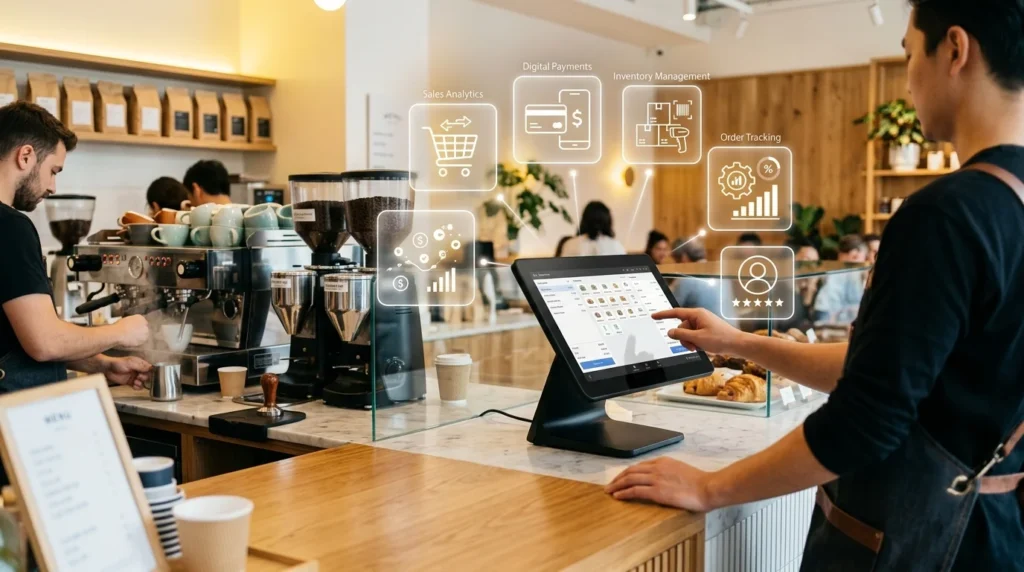
Cafés can choose from basic tablet-based tools, general retail software, and platforms designed specifically for hospitality. Operators using a coffee shop POS system from BLogic Systems, or another modern POS built for café operations, can manage key workflows such as QR code ordering, contactless payments, menu updates, and delivery orders from one platform. Focusing on the features your café actually needs makes it easier to compare providers, avoid unnecessary costs, and choose a system that can support staff during busy service periods.
Menu and Order Management
Your POS software should handle your menu the way your café actually runs. Not the way a software designer imagined it might work. Drinks with five customization options, seasonal specials that rotate every few weeks, modifiers for dairy alternatives- all of it needs to work cleanly on a small screen under pressure. Look for a system that lets you update menu items quickly from a back-end dashboard, ideally without calling technical support.
Smooth order routing matters just as much. Drink orders go to one station; food prep goes to another. Nothing gets missed during a morning rush. Handheld POS support matters here too; if your staff takes orders tableside or at an outdoor patio, orders should fire directly to the right prep area. A kitchen display system replaces paper tickets and updates in real time, which reduces miscommunication and cuts the time between order and pickup. Your regular customers will notice even if they can’t name exactly why the experience feels faster.
Payment Processing and Speed
Transaction speed is where many café owners feel the difference most. A slow payment terminal during a rush doesn’t just frustrate customers; it visibly shortens your line. Your POS should process chip, tap, and contactless payments in under two or three seconds. It should support mobile wallets like Apple Pay and Google Pay without extra friction. Beyond raw speed, look at the processing fee structure carefully. Some systems offer a 0% credit card fee program that shifts the surcharge to the customer; that can meaningfully cut your monthly overhead without requiring you to raise menu prices.
And settlement timing matters. Same-day or next-day funding keeps your cash flow predictable, especially for a small operation where payroll, supplier payments, and your accounting system need accurate, up-to-date transaction records. Ask vendors to show you real numbers for a business your size, not just headline rates that apply only to high-volume accounts. Transparent pricing matters as much as the rate itself.
Stability, System Connections, and Staff Management
A POS system that goes offline during a power or internet outage can bring a café to a halt. The better platforms run on a hybrid cloud-and-local architecture; transactions keep processing even without an internet connection, then sync automatically once the network comes back. This isn’t a minor feature. It’s the difference between serving every customer in line and turning them away.
On the system connection side, your POS should connect with the tools your business already relies on. If you accept delivery orders through third-party apps, a system that pulls those orders into one central dashboard cuts down on the chaos of managing three separate tablets at the counter.
Delivery and Third-Party App Connections
Delivery has become a permanent revenue channel for most cafés. It’s not a temporary workaround anymore. A POS that connects with DoorDash, Uber Eats, and Grubhub means your staff doesn’t have to manually re-enter every incoming order into the system. Orders flow straight in; inventory adjusts automatically. Your reporting reflects total sales across every channel. Without that connection, you’re managing parallel workflows that create errors and slow down fulfillment.
Check whether the connection is native or requires a third-party middleware service that adds another monthly fee. Native connections are generally faster, more stable, and cheaper to maintain over time. Also look at how refunds and order modifications are handled across platforms. A customer who changes their Uber Eats order three minutes after placing it needs that change to show up in your kitchen system instantly, not after a manual update from a staff member who may be busy making four drinks at once.
Employee Scheduling and Shift Oversight
Staff management tools built into your POS can replace a separate scheduling app. That’s one fewer subscription to manage. Look for a system that handles clock-in and clock-out at the terminal, tracks hours automatically, and flags overtime before it becomes a payroll problem. Role-based access control is worth thinking about too. Baristas don’t need access to sales reports or payroll data; managers do. A well-structured permission system protects sensitive business data and limits the risk of accidental changes to pricing or inventory.
Some platforms integrate with dedicated payroll and scheduling tools like ADP or 7shifts, which is useful if you already have a workflow built around those services. The real goal is a setup where your staff management doesn’t require you to touch three different apps to find out who’s scheduled next Tuesday, how many hours they’ve worked this week, and whether your labor cost percentage is where it should be for this time of month.
Conclusion
Choosing the right POS software comes down to matching the system’s actual capabilities to your café’s real daily demands. There’s no single answer to what coffee shops should consider when choosing POS software, but the priorities are consistent: fast and flexible payments, stable offline operation, clean delivery connections, and staff tools that reduce administrative work. Evaluate vendors by asking for live demos, reading reviews from café owners, and pressing hard on pricing transparency before you commit. The right system should make your operation easier to run, not just more technically equipped.