
QR codes are now a practical tools for businesses that want to make it easier for customers to access digital information. From restaurant menus and payment links to product pages, event registrations, contact details, and special offers, a quick scan can take users exactly where you want them to go. But choosing a QR code generator is not always as simple as creating a code and downloading it. Different tools offer different features, including customization, dynamic QR codes, scan tracking, editing options, analytics, and integrations.
For businesses, the right tool can make QR campaigns easier to manage and measure. Some platforms are ideal for creating free static QR codes, while others are better for marketing campaigns where you need to update the destination or track customer activity. In this guide, we’ll explore the best QR code generators, what each one offers, their pricing, key features, and which type of user or business they are best suited for.
What Is a QR Code Generator?
A QR code generator is an online tool that converts information such as a website URL, contact details, text, payment information, or a digital file into a scannable QR code.
Basic generators usually create static QR codes, while advanced platforms can create dynamic QR codes that can be edited and tracked after printing. Depending on the platform, users may also get customization tools, analytics, bulk generation, integrations, and campaign management features.
Free vs. Paid QR Code Generators: What Is the Difference?
Free QR code generators work well for simple, one-time requirements such as website links, contact cards, event invitations, and basic promotional materials. Paid platforms become more useful when businesses need editable destinations, scan analytics, branding, bulk generation, campaign management, integrations, or multiple users.
| Feature | Free QR Code Generator | Paid QR Code Generator |
| Basic QR creation | Yes | Yes |
| Static QR codes | Usually | Yes |
| Dynamic QR codes | Limited or unavailable | Usually available |
| Edit destination after printing | Usually no | Yes |
| Scan analytics | Limited or unavailable | Yes |
| Logo and branding | Basic | Advanced |
| Bulk generation | Limited | Usually available |
| Team management | Rare | Available on higher plans |
| API access | Rare | Available on advanced plans |
| Advanced security | Limited | Available on business plans |
| Customer support | Basic | Priority or dedicated support |
For personal projects, paying for a QR code generator may not be necessary. Business campaigns are different because editable destinations, analytics, bulk creation, and account controls can become important as the number of QR codes increases.
Static vs. Dynamic QR Codes: Differences, Benefits, and What to Choose
Static QR Codes
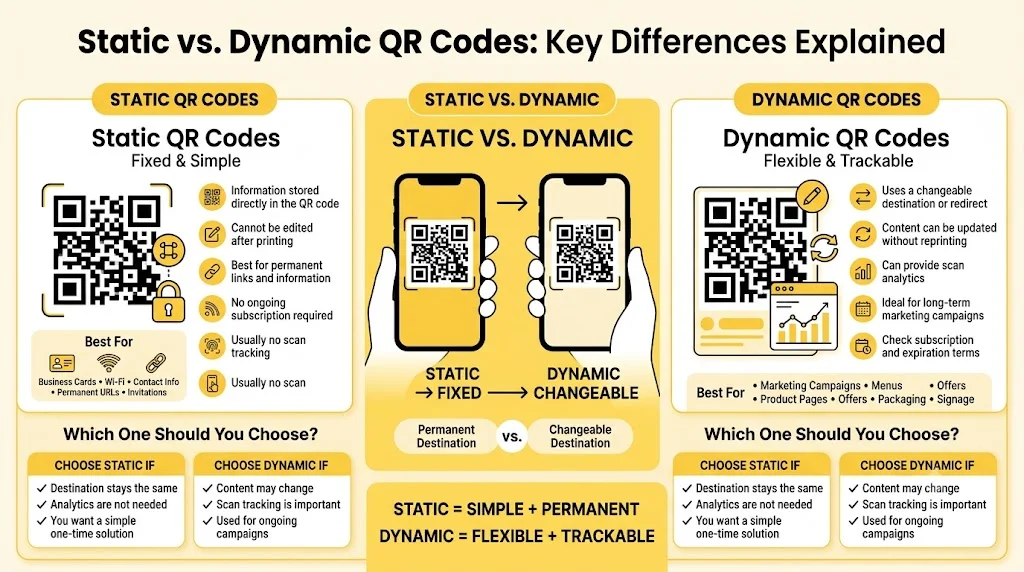
Static QR codes store destination information directly inside the code. Once a code has been generated and printed, its information cannot normally be changed without creating a new QR code.
For example, suppose a static QR code contains a website URL and that URL changes later. The printed QR code will still point to the original address. Static codes are therefore most suitable when the destination is expected to remain permanent.
Common uses include business cards, Wi-Fi access details, permanent contact information, simple event invitations, and fixed website links. They also make sense when scan tracking is not required.
Dynamic QR Codes
Dynamic QR codes use a managed destination or redirect, allowing businesses to change the content behind the printed code without replacing the physical QR code. Depending on the platform and subscription, businesses can also access information about scan activity.
This flexibility makes dynamic QR codes particularly useful for marketing campaigns. Restaurants can update menu links, retailers can change product landing pages, and businesses can redirect campaign codes to new offers without printing new materials.
Dynamic codes become especially valuable when QR codes will remain in use for months or years. Before printing large quantities, however, check the provider’s subscription and expiration rules to understand what happens if a plan is cancelled or downgraded.
Static vs. Dynamic: Which Should You Choose?
Choose static QR codes when destinations are permanent, scan analytics are unnecessary, and you want to avoid an ongoing subscription.
Choose dynamic QR codes when destinations may change, scan tracking is important, or QR codes are part of an ongoing marketing campaign.
For businesses using QR codes across long-term campaigns, packaging, signage, or multiple locations, dynamic functionality can provide greater flexibility.
Key Features to Look for in a QR Code Generator
Not every QR code generator is designed for the same purpose. Basic tools can be perfect for creating one code, while marketing teams may require campaign management, analytics, integrations, and bulk generation.
- Dynamic QR Code Management: Check whether destinations can be changed after printing. This feature is particularly useful for menus, packaging, signage, and campaigns that may remain in circulation for months or years.
- Scan Analytics: Look beyond total scan counts when comparing platforms. Useful analytics can show scan dates, locations, devices, operating systems, and campaign performance, helping businesses understand how audiences interact with QR campaigns.
- QR Code Customization: Look for options to customize colors, patterns, frames, eyes, and logos while maintaining reliable scanning. Good customization should strengthen brand recognition without making the code difficult to scan.
- Bulk QR Code Generation: Choose bulk generation when different products, locations, employees, event attendees, or campaign assets require individual QR codes. Uploading data or using an API can save significant time compared with creating hundreds of codes manually.
- Download and Print Formats: PNG works well for many digital applications, while SVG, EPS, and PDF formats are more useful for packaging, signage, brochures, and large-format printing. Vector formats can be resized without losing sharpness.
- Security and Access Controls: Business campaigns may require password protection, user permissions, secure account access, domain controls, data protection, and other security measures. These features become increasingly important when several employees or teams manage QR campaigns.
- Integrations: Look for connections with Google Analytics, CRM systems, advertising platforms, automation tools, and other marketing software. API and integration support becomes more valuable as QR campaigns grow.
- QR Code Testing: Test every final QR design before publishing or printing. Reliable scanning should be confirmed across different smartphones and real-world conditions before materials are produced in large quantities.
Comparison of Best QR Code Generators in 2026
The following comparison focuses on features that matter most when selecting a QR code generator for personal projects, marketing campaigns, and business use.
| Tool | Best For | Free Plan | Starting Price | Dynamic QR | Bulk Generation | Download Formats |
| QRCode Monkey | Free static QR codes | Yes | Free | No | No | PNG, SVG, PDF, EPS |
| Canva QR Code Generator | QR codes within designs | Yes | Free | No | No | PNG, PDF |
| Adobe Express QR Code Generator | Quick branded QR codes | Yes | Free | No | No | PNG |
| QRStuff | Simple QR codes and basic business use | Yes | From $10/month | Yes | Limited | PNG, SVG, EPS, PDF |
| GoQR | Quick, no-frills QR creation | Yes | Free | No | No | PNG, SVG, EPS |
| QR TIGER | Dynamic QR campaigns | Yes | From $7/month | Yes | Yes | PNG, SVG, PDF |
| Uniqode | Enterprise QR management | Trial | From $9/month | Yes | Yes | PNG, SVG |
| Scanova | Businesses and marketing campaigns | Trial | From $5/month | Yes | Yes | PNG, SVG, PDF |
| Bitly | QR codes and link management | Yes | From $10/month | Yes, paid plans | Yes | PNG, SVG |
| Flowcode | Marketing campaigns and analytics | Yes | From $25/month | Yes | Yes | PNG, SVG |
Pricing and feature availability can change depending on the plan and billing cycle. Scanova, for example, lists entry-level pricing around $5/month when billed annually, while platforms such as Bitly, QR TIGER, Uniqode, and Flowcode differentiate plans through dynamic QR functionality, analytics, volume limits, and business features.
List of Best QR Code Generators
A. Best for Simple QR Code Creation
Simple QR code generators work well when the main goal is creating a code quickly without advanced campaign tracking or large-scale QR management. These tools can be useful for menus, business cards, flyers, presentations, packaging, event materials, and basic website links.
1. QRCode Monkey
- Rating: Not consistently rated on major software review platforms
- Website: https://www.qrcode-monkey.com/
- Best for: Free, customizable static QR codes
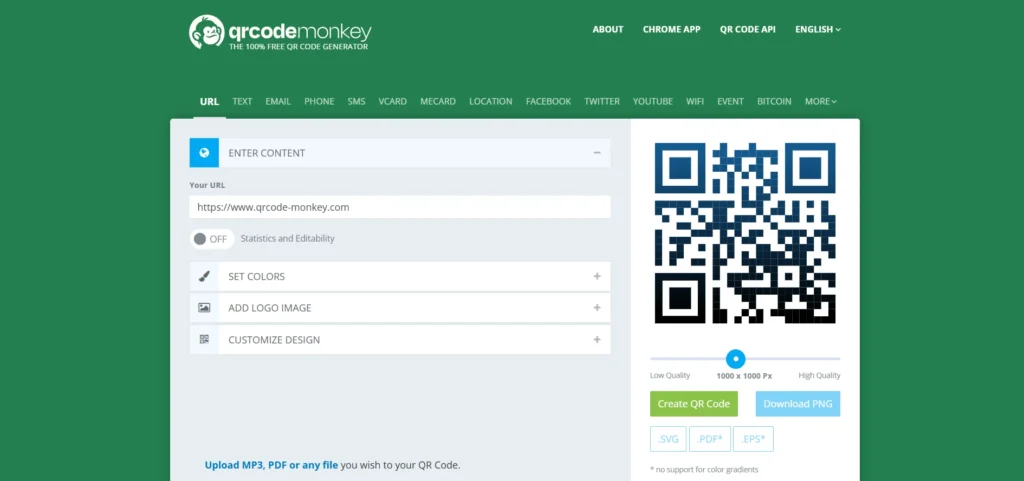
QRCode Monkey is a useful option when you want to create a QR code without committing to a paid subscription. It supports different QR types and provides customization options such as colors, shapes, and logos.
Its main strength is simple static QR creation. Permanent destinations such as websites, contact details, Wi-Fi information, and social media profiles can be converted into printable QR codes without requiring advanced campaign management.
Key Features:
- Custom colors and QR shapes: Adjust visual elements to match branding while maintaining scanability.
- Logo integration: Add a logo to make the code more recognizable.
- Multiple QR code types: Create codes for different types of information and destinations.
- Print-friendly downloads: Download codes in formats suitable for digital and print use.
Who Should Use It:
- Individuals creating free QR codes
- Small businesses with simple requirements
- Students and professionals
- Users who need printable static QR codes
Pros:
- Free for basic static QR creation
- Good customization options
- Suitable for print materials
- Easy to use
Cons:
- Limited advanced analytics
- Not designed for large-scale campaign management
- Dynamic QR functionality is not its main strength
Pricing:
Basic static QR code creation is free. Paid functionality may vary depending on the connected service or feature being used.
2. Canva QR Code Generator
- Rating: Canva does not provide a standard standalone software rating for its QR generator
- Website: https://www.canva.com/qr-code-generator/
- Best for: Creating QR codes as part of marketing designs
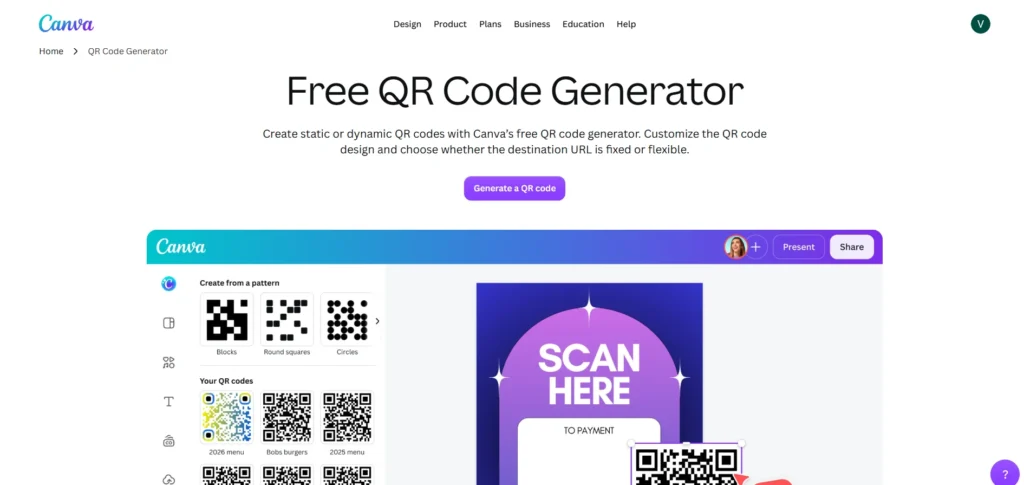
Canva is convenient for users who already create posters, brochures, social media graphics, menus, presentations, and promotional materials on the platform.
QR functionality becomes particularly useful because codes can be added directly to existing designs instead of being created separately and uploaded later. This makes Canva a practical choice for simple static QR codes used in marketing materials.
Businesses requiring detailed scan analytics, editable destinations, or large-scale QR campaign management may need a specialized platform instead.
Key Features:
- QR creation within designs: Generate and place codes directly inside marketing materials.
- Easy customization: Adjust the surrounding design to match existing branding.
- Design template integration: Combine QR codes with Canva’s broader library of design tools.
- Simple export: Download finished designs for digital or print use.
Who Should Use It:
- Designers
- Social media marketers
- Small businesses
- Users already creating designs in Canva
Pros:
- Very easy for Canva users
- Works directly inside marketing designs
- Good for quick business materials
- Free QR creation available
Cons:
- Limited QR-specific analytics
- Not designed for advanced QR campaigns
- Dynamic QR management is limited
Pricing:
QR creation is available through Canva’s free functionality. Additional design and export features depend on the selected Canva plan.
3. Adobe Express QR Code Generator
- Rating: Not consistently rated as a standalone QR-code product
- Website: https://www.adobe.com/express/feature/image/qr-code-generator
- Best for: Simple QR codes for branded marketing materials
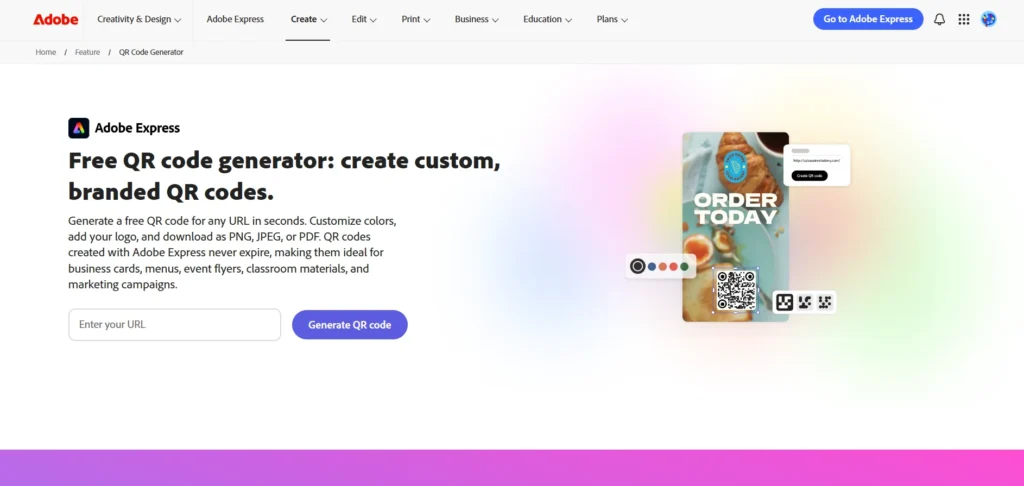
Adobe Express is useful for users who want straightforward QR creation within a broader design platform. Codes can be incorporated into promotional graphics, flyers, posters, and other marketing assets.
Its biggest advantage is simplicity rather than advanced QR management. Permanent website links, landing pages, and other fixed destinations can be handled without investing in a specialized QR platform.
Key Features:
- Quick QR code generation: Create codes without a complicated setup.
- Design integration: Add QR codes to marketing graphics and promotional materials.
- Simple customization: Keep the code visually consistent with the overall design.
- Marketing-focused workflow: Create the QR code and promotional asset within the same environment.
Who Should Use It:
- Designers
- Marketing teams
- Small businesses
- Adobe users who need quick QR creation
Pros:
- Simple interface
- Suitable for basic QR requirements
- Useful for design-focused users
- Good option for one-time campaigns
Cons:
- Limited QR analytics
- Not ideal for large QR campaigns
- Fewer specialized QR management features
Pricing:
Basic QR creation is available free. Additional Adobe Express features depend on the selected plan.
4. QRStuff
- Rating: Varies by review platform and product version
- Website: https://www.qrstuff.com/
- Best for: Straightforward business QR codes
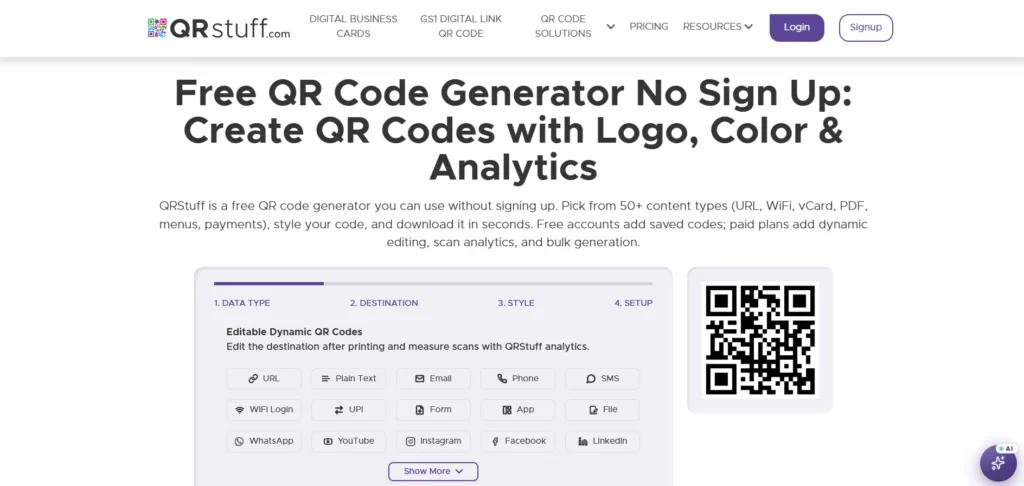
QRStuff focuses on quick QR creation and supports a range of QR code types. Businesses can use it for websites, contact information, social profiles, events, and other marketing purposes.
Paid plans provide additional functionality for users who need more than basic static codes. This positions QRStuff between completely free generators and advanced QR marketing platforms.
Key Features:
- Multiple QR code types: Support different kinds of information and use cases.
- QR customization: Adjust the appearance of codes for different materials.
- Dynamic QR options: Provide more flexibility for business use.
- Print-ready downloads: Support professional QR code applications.
Who Should Use It:
- Small businesses
- Event organizers
- Users who need different QR types
- Users looking for both static and dynamic options
Pros:
- Easy to understand
- Supports multiple QR types
- Suitable for small businesses
- Offers paid options for additional functionality
Cons:
- Advanced analytics are more limited than enterprise-focused platforms
- Higher usage may require a paid plan
- Interface is more functional than design-focused
Pricing:
Free options are available for basic QR creation. Paid plans start at around $10/month, depending on the selected plan.
5. GoQR
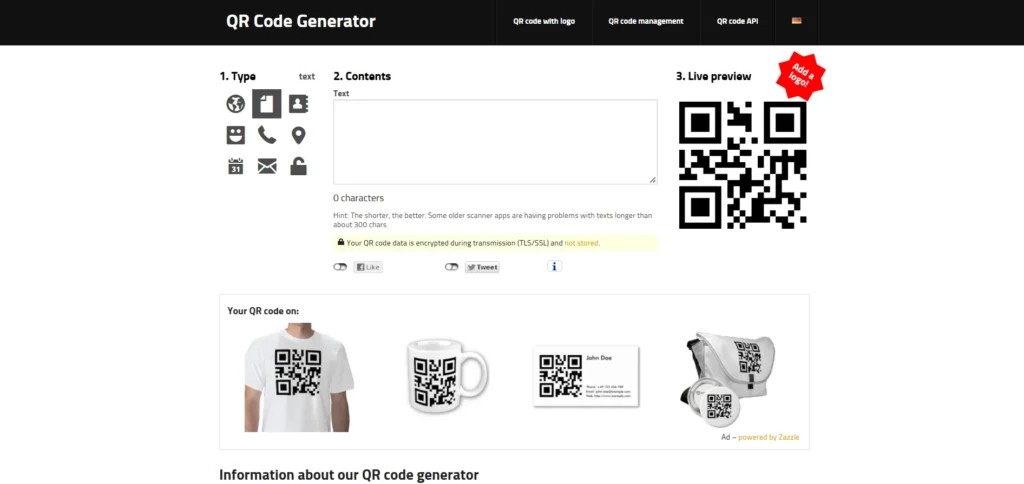
- Rating: Not consistently rated on major software review platforms
- Website: https://goqr.me/
- Best for: Fast and simple QR code creation
GoQR is a straightforward option for users who do not need a complicated dashboard or extensive campaign-management features.
URLs, text, contact information, and similar content can be quickly converted into QR codes. Businesses can use it for basic printed materials, but advanced analytics, dynamic destinations, bulk generation, and team management are better handled by specialized platforms.
Key Features:
- Quick QR creation: Generate codes without extensive setup.
- Multiple QR content types: Support common information formats.
- Simple interface: Keep QR creation straightforward.
- Basic download options: Save codes for digital or print use.
Who Should Use It:
- Individuals
- Students
- Small businesses
- Users who need quick QR codes without advanced features
Pros:
- Easy to use
- Suitable for quick QR creation
- No complex setup
- Useful for simple static codes
Cons:
- Limited business analytics
- Few advanced campaign features
- Not suitable for large-scale QR management
Pricing:
Basic QR generation is free. Advanced business functionality is limited.
B. Advanced and Scalable QR Code Generators
Advanced QR platforms are better suited to businesses using QR codes across marketing campaigns, customer journeys, packaging, events, retail operations, and multiple locations.
These tools typically provide dynamic QR codes, analytics, bulk creation, campaign management, integrations, and other business-focused capabilities.
6. QR TIGER
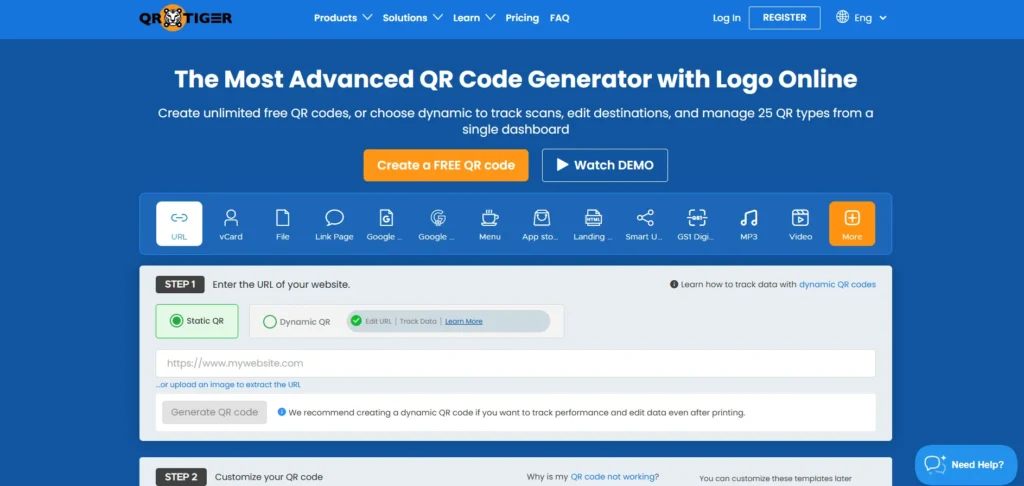
- Rating: 4.8/5 on G2
- Website: https://www.qrcode-tiger.com/
- Best for: Dynamic QR campaigns and analytics
QR TIGER is designed for businesses that need more control over their QR campaigns. Dynamic functionality allows destinations to be changed without replacing printed codes, while analytics help teams understand scan activity.
Bulk QR generation also makes the platform more practical for campaigns involving multiple products, locations, or marketing assets. Customization, tracking, and campaign management make it a strong option for growing businesses.
Key Features:
- Dynamic QR codes: Change destinations without replacing printed codes.
- Scan analytics: Monitor QR activity and campaign engagement.
- Bulk QR generation: Create multiple codes efficiently.
- Custom QR designs: Adapt QR codes to brand requirements.
Who Should Use It:
- Marketing teams
- E-commerce businesses
- Agencies
- Businesses running multiple QR campaigns
- Brands that need dynamic QR codes
Pros:
- Strong dynamic QR functionality
- Useful analytics
- Supports bulk generation
- Suitable for marketing campaigns
Cons
- Advanced features require paid plans
- Free functionality has usage limitations
- May offer more features than small businesses need
Pricing:
A free plan is available with limitations. Paid plans start at around $7/month with annual billing, while higher tiers provide greater QR capacity and advanced features.
7. Uniqode
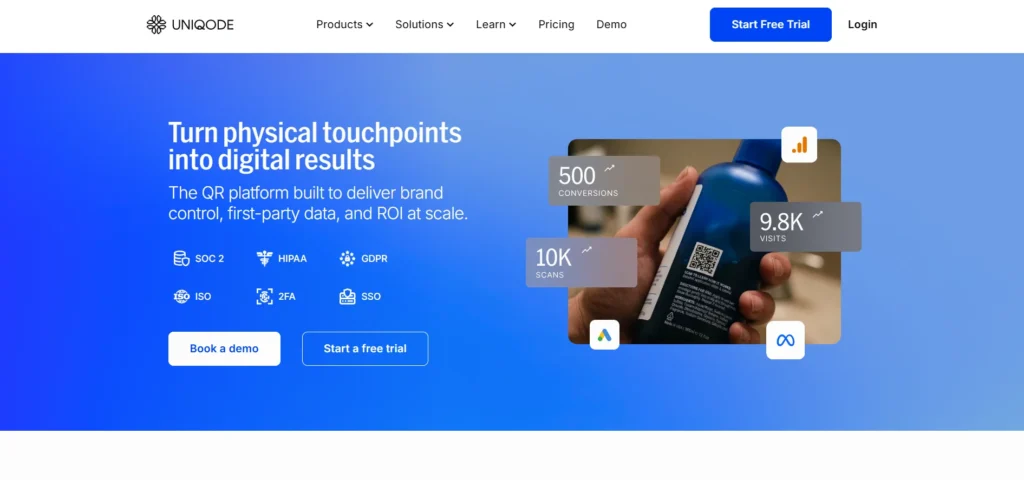
- Rating: 4.8/5 on G2
- Website: https://www.uniqode.com/
- Best for: Enterprise QR code management
Uniqode is designed for organizations managing QR codes at scale. Its platform combines dynamic QR codes with analytics, bulk generation, integrations, team management, and enterprise-focused controls.
Multi-location businesses can use it across products, campaigns, stores, and offline marketing channels. Its capabilities are better suited to organizations treating QR codes as part of a broader marketing and customer-engagement infrastructure.
Key Features:
- Dynamic QR codes: Manage destinations after codes have been printed.
- Detailed analytics: Gain insights into QR scan activity.
- Bulk QR generation: Create codes for large campaigns.
- Integrations and API capabilities: Connect QR campaigns with existing marketing systems.
Who Should Use It:
- Enterprise marketing teams
- Multi-location businesses
- Large brands
- Agencies
- Businesses requiring integrations and advanced analytics
Pros:
- Strong enterprise functionality
- Detailed campaign analytics
- Supports large-scale QR management
- Useful integrations
Cons:
- More expensive than basic generators
- Can be excessive for individual users
- Some plans require annual billing
Pricing:
Plans start at around $9/month when billed annually. Higher tiers add analytics, integrations, team features, and greater QR capacity.
8. Scanova
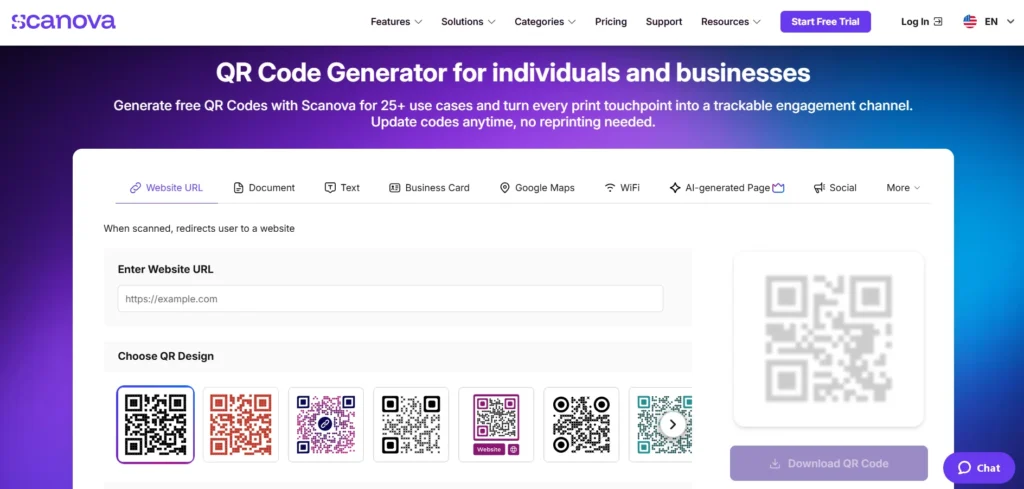
- Rating: 4.6/5 on G2
- Website: https://scanova.io/
- Best for: Business QR campaigns and flexible QR types
Scanova provides a broader set of QR management features than basic generators. Businesses can create dynamic QR codes, monitor scans, customize designs, and manage different campaigns from one platform.
Pricing is structured around the number of active QR codes, which can make it easier for businesses to choose plans based on campaign requirements. Scanova currently lists its entry Basic plan at $5/month when billed annually, with higher plans offering more QR codes and additional features.
Key Features:
- Dynamic QR codes: Update destinations without replacing printed codes.
- QR analytics: Monitor scan activity and campaign performance.
- Multiple QR categories: Support different business and marketing requirements.
- Bulk QR generation: Create larger numbers of codes on higher plans.
Who Should Use It:
- Small and medium-sized businesses
- Marketing teams
- Event organizers
- Agencies
- Businesses creating multiple dynamic QR codes
Pros:
- Flexible pricing structure
- Good range of QR types
- Suitable for business campaigns
- Offers a one-time option for a single dynamic QR code
Cons:
- Higher-volume requirements can become expensive
- Advanced features require higher plans
- May be more complex than basic QR generators
Pricing:
- Basic: $5/month billed annually
- Lite: $9/month billed annually
- Standard: $35/month billed annually
- Pro: $75/month billed annually
- Enterprise: Custom pricing
9. Bitly
- Rating: 4.5/5+ depending on review platform and product category
- Website: https://bitly.com/pages/products/qr-codes/
- Best for: QR codes combined with link management
Bitly is particularly useful for businesses that want QR codes and link management within the same platform. Teams can connect QR codes with shortened links and campaign tracking instead of treating QR codes as standalone design assets.
This setup can be useful when the same destination needs to be distributed through both online and offline channels. Businesses already using Bitly’s link-management ecosystem may find this approach especially convenient.
Key Features:
- QR code creation: Generate QR codes alongside links.
- Link shortening: Manage shorter URLs within the same platform.
- Campaign tracking: Monitor engagement across campaigns.
- Bulk management: Manage larger numbers of links and QR codes on higher plans.
Who Should Use It:
- Marketing teams
- Businesses already using Bitly
- Social media teams
- Campaign managers
- Brands combining links and QR codes
Pros:
- Strong link-management capabilities
- Familiar platform for marketing teams
- Useful campaign analytics
- Combines QR codes and short links
Cons:
- Free QR functionality is limited
- Advanced features require paid plans
- Less focused on QR customization than specialist platforms
Pricing:
A free plan is available with limitations. Core starts at around $10/month when billed annually, while higher plans provide additional QR, link, analytics, and campaign capabilities.
10. Flowcode

- Rating: 4.6/5 on G2
- Website: Flowcode
- Best for: Marketing campaigns and data-driven QR experiences
Flowcode focuses on turning QR codes into measurable marketing touchpoints. Businesses can use dynamic codes, landing pages, analytics, and campaign features to understand how audiences interact with offline materials.
This makes Flowcode useful for campaigns involving packaging, advertisements, events, retail displays, and physical promotional materials. Higher plans are designed for businesses that need greater QR capacity, analytics, integrations, and campaign management.
Key Features:
- Dynamic QR codes: Keep campaign destinations flexible.
- Scan analytics: Measure engagement from physical marketing channels.
- Landing pages: Create digital experiences connected to QR campaigns.
- Bulk QR creation: Support larger campaigns with multiple codes.
Who Should Use It:
- Marketing teams
- Consumer brands
- Agencies
- Event marketers
- Businesses focused on scan analytics and customer engagement
Pros:
- Strong marketing focus
- Useful scan analytics
- Good for branded campaigns
- Supports larger QR deployments
Cons:
- Advanced plans can be expensive
- More features than needed for simple QR use
- Higher-scale functionality is aimed at businesses
Pricing:
A free plan is available with limitations. Pro Plus starts around $25/month when billed annually, while Growth and Enterprise plans provide higher capacity and advanced business features.
How to Choose the Best QR Code Generator
Choosing the right platform becomes easier when you start with the purpose behind your QR campaign.
- Decide between static and dynamic QR codes. Permanent links may only require a free static code, while campaigns that could change later are better suited to dynamic QR platforms.
- Consider the placement environment. Packaging, billboards, menus, business cards, events, and product labels can have different requirements for size, design, durability, and readability.
- Check available analytics. Marketing campaigns benefit from information such as scan volume, timing, device type, and location because these insights help measure performance.
- Look for destination editing. Printed materials cannot easily be replaced, so changing the destination without generating a new QR code can save time and printing costs.
- Review QR code limits. Some platforms limit the number of active dynamic codes even when scan volumes are unlimited or relatively high. Check these limits before selecting a plan.
- Consider bulk generation needs. Businesses creating separate codes for products, stores, employees, locations, or campaigns can save considerable time with bulk creation.
- Check available download formats. SVG, EPS, and PDF are useful for professional printing, while PNG is often sufficient for websites and digital content.
- Evaluate branding options. Look for support for logos, colors, frames, and other design elements, while ensuring customization does not reduce scan reliability.
- Review integration options. Google Analytics, CRM systems, Zapier, advertising platforms, APIs, and webhooks can make QR data more useful for marketing teams.
- Understand subscription rules. Before printing thousands of codes, check what happens if you cancel, downgrade your plan, exceed usage limits, or stop paying for a dynamic QR service.
- Test before going to print. Scan the finished design with different smartphones and under different lighting conditions to catch problems before mass production.
How to Edit a QR Code Without Reprinting
Editing a QR code without reprinting is possible when the code is dynamic. Instead of storing the final destination directly in the QR pattern, the code points to a managed URL that can redirect visitors to the current destination.
For example, imagine a restaurant using restaurant POS systems and printing 5,000 table cards with a QR code linking to its menu. If the restaurant later changes its menu URL, a dynamic QR code can be updated from the generator’s dashboard. Customers can continue using the same printed code.
This flexibility is one of the biggest reasons businesses choose dynamic QR codes. Before committing to a platform, check whether destination editing is included in the selected plan and whether the code remains active after the subscription ends.
Is a QR Code Generator Safe? Top Security Features to Check Before You Print
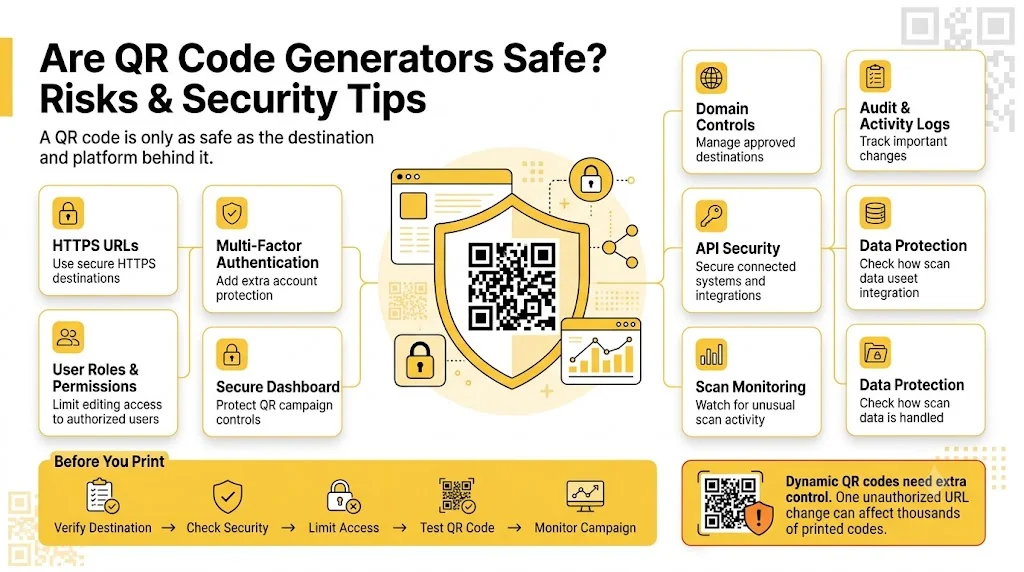
A QR code is not automatically safe simply because it looks professional. Security largely depends on the destination behind the code. QR codes can direct users to legitimate websites, but they can also lead to fake login pages, malicious websites, or unwanted downloads.
Businesses should therefore evaluate both the QR platform and the destination used in their campaigns. Security becomes particularly important when QR codes are used on packaging, payment-related materials, customer-facing campaigns, or high-traffic marketing assets.
Look for security features such as:
- HTTPS-secured destination URLs: Use secure website addresses to reduce exposure to unsafe destinations.
- Account-level authentication: Protect QR management accounts from unauthorized access.
- Multi-factor authentication: Add an extra layer of protection beyond passwords.
- User roles and permissions: Limit editing access according to each team member’s responsibilities.
- Secure QR management dashboards: Keep campaign controls protected behind reliable account security.
- Domain controls: Help businesses maintain greater control over approved destinations.
- Audit and activity records: Track important account and campaign changes where supported.
- Data protection policies: Review how the provider handles collected information and analytics.
- API security: Apply appropriate authentication and access controls when connecting QR platforms with other systems.
- Scan and campaign monitoring: Monitor unusual activity and campaign performance.
Control over dynamic QR codes is particularly important when several employees have account access. One incorrect destination change can affect thousands of printed codes, so businesses should limit editing permissions to appropriate team members.
Common QR Code Mistakes to Avoid
- Using a Dynamic QR Without Checking Subscription Rules: Understand what happens when a subscription expires, a plan is downgraded, or usage limits are exceeded. Printed QR codes may remain in circulation long after the original campaign has ended.
- Making the QR Code Too Small: Give the QR code enough physical space for smartphone cameras to identify its individual modules. Shrinking it too much can make scanning difficult, especially from a distance.
- Removing Too Much Contrast: Maintain strong contrast between the QR pattern and its background. Excessive styling may make the code look attractive while reducing scanning reliability.
- Placing the QR Code on a Busy Background: Keep images, textures, patterns, and other visual elements away from the scanning area. Sufficient clear space helps smartphone cameras recognize the code more easily.
- Skipping Real-World Testing: Test the actual printed material rather than relying only on a digital preview. Glossy packaging, outdoor lighting, unusual surfaces, and different print qualities can affect scanning.
- Linking to a Poor Mobile Experience: Make sure the landing page loads quickly and works well on smartphones. A successful scan is not useful if visitors struggle to navigate the page afterward.
- Not Tracking Campaign Performance: Connect QR campaigns with campaign-specific URLs, UTM parameters, or analytics tools where appropriate. Scan data can help identify which offline channels are generating meaningful engagement.
- Using One QR Code for Everything: Create separate trackable codes for different campaigns, locations, or marketing channels. Individual codes make it easier to understand which source is generating scans.
- Forgetting to Update the Destination: Review active QR codes regularly and confirm that their landing pages still work. Outdated links can create a poor customer experience even when the QR code itself scans correctly.
- Not Keeping a QR Code Inventory: Maintain a simple record of each code’s purpose, destination, location, owner, and last testing date. This becomes especially useful when dozens or hundreds of QR codes are active across different campaigns.
Final Verdict
The best QR code generator depends on how seriously you plan to use QR codes.
For simple permanent links, QRCode Monkey and Canva can be enough. Both keep the process straightforward and help avoid unnecessary subscription costs when advanced features are not required.
Businesses that need dynamic QR codes, analytics, customization, and campaign management can consider QR TIGER and Scanova for a strong balance between features and price. Bitly is particularly useful when QR codes need to work alongside link management, while Flowcode is better suited to branded campaigns and physical-to-digital marketing experiences.
Larger organizations, agencies, and teams managing QR codes at scale may benefit from Uniqode because of its advanced controls, bulk creation, analytics, integrations, and enterprise-oriented capabilities.
Ultimately, avoid paying for features that your business will never use, but also avoid choosing a basic generator when QR codes will be printed across thousands of products or marketing materials.
The most important decision is therefore not simply finding the cheapest QR code generator. Choose a platform based on the lifespan, scale, tracking requirements, design needs, and business importance of your QR campaigns.
FAQs
What Is The Best QR Code Generator In 2026?
There is no single best QR code generator for every user. QRCode Monkey and Canva are suitable for simple static QR codes, while QR TIGER, Scanova, Bitly, and Uniqode are better suited to dynamic and trackable business campaigns.
Which QR Code Generator Is Best For Free QR Codes?
QRCode Monkey is a good option for free static QR codes, while Canva is convenient when you want to place a QR code directly into a marketing design. Free plans on dynamic QR platforms usually come with usage or feature limits.
Are Free QR Codes Really Free?
Static QR codes can generally be created and used without an ongoing subscription. Dynamic QR codes work differently because they rely on managed redirects and may require an active subscription for editing, tracking, and other advanced features.
Can I Edit A QR Code After Printing It?
Yes, but normally only when you have created a dynamic QR code. Static QR codes cannot normally be edited after printing because their destination is encoded directly into the QR pattern.
Are Dynamic QR Codes Better Than Static QR Codes?
Not always. Dynamic QR codes are better when you need editing and tracking, while static QR codes are perfectly suitable for permanent information that will not change and does not require analytics.